👤 This article is for providers.
The Event Banner is the horizontal hero image that appears at the top of your event registration pages — the page attendees land on when they click your Event Invitation Page URL. It's the same source image as the 1st Website Highlight for your course, just cropped to a horizontal banner format. A well-prepared banner sets the tone for the event and reinforces your professional brand at the moment of registration.
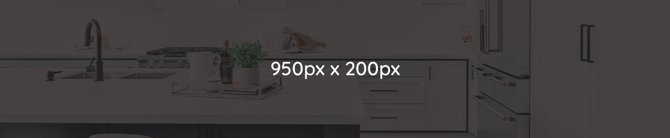
💡 Tip: The Event Banner uses the same source photo as your 1st Website Highlight image, cropped to 950 × 200 px. Plan them together — see Course Website Highlight Image Specifications for the full set of highlight guidance.
Specifications at a glance
| Spec | Requirement |
|---|---|
| Dimensions | 950 × 200 px |
| Resolution | 150 dpi |
| Format | JPG (RGB), saved for web |
| Size limit | 200 kb |
| Image count | 1 per course (same source image as the 1st Website Highlight) |
File naming convention
- Format:
Banner_CourseTitle - Example:
Banner_Sinks101
Areas to avoid graphics
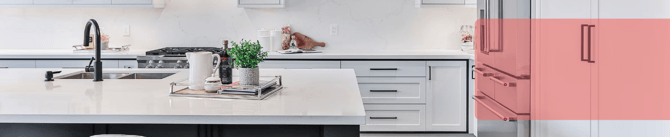
CEU Events may overlay certain elements on the banner on the registration page:
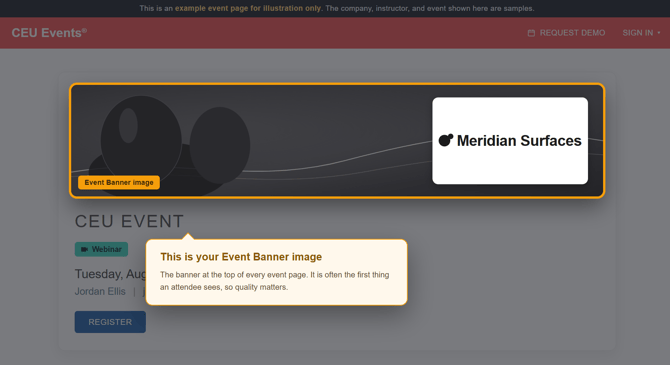
- Avoid placing critical graphics in the right portion of the banner, which can be partially covered by overlays (provider's logo).
Example
Best practices
- Keep visual focus on the left and center. The right side may be partially covered by overlays, so anchor your key subject toward the left and center of the frame.
- Avoid text all together. Banner real estate is limited (200 px tall). Text placed on the banner may collide with platform overlays or compete with the event title displayed above the banner on the registration page.
- Use high-resolution source images. A 950 × 200 px banner needs to look sharp on high-DPI displays. Start with a high-resolution source photo before cropping.
- Audit banners when refreshing course images. When you update the 1st Website Highlight, regenerate the banner from the same updated source so the two stay in sync.
Troubleshooting
- Your banner looks blurry or pixelated. Confirm your source image is at least 950 × 200 px. Better yet, start from a higher-resolution master image (1920 × 1080 or larger) and crop down to 950 × 200 px for sharper results.
- Your image is rejected for being too large. The 200 kb size limit is strict. Re-export using "Save for Web" at higher compression, or reduce dimensions slightly before re-exporting.
- Important visuals in your banner are getting covered. Platform overlays may partially cover the right side of the banner. Move important elements toward the left or center of the image.
- Your banner doesn't match your Website Highlight. They should share the same source image. When you update one, regenerate the other from the same source so they stay visually consistent across your event registration page and course detail page.